DrowAI / AI-assisted red teaming
Your objective.
An AI red team.
Direct specialist AI agents from reconnaissance to exploitation. Follow their work, inspect the evidence, and build the report.
01 The agent workspace
Set the task.
Stay in command.
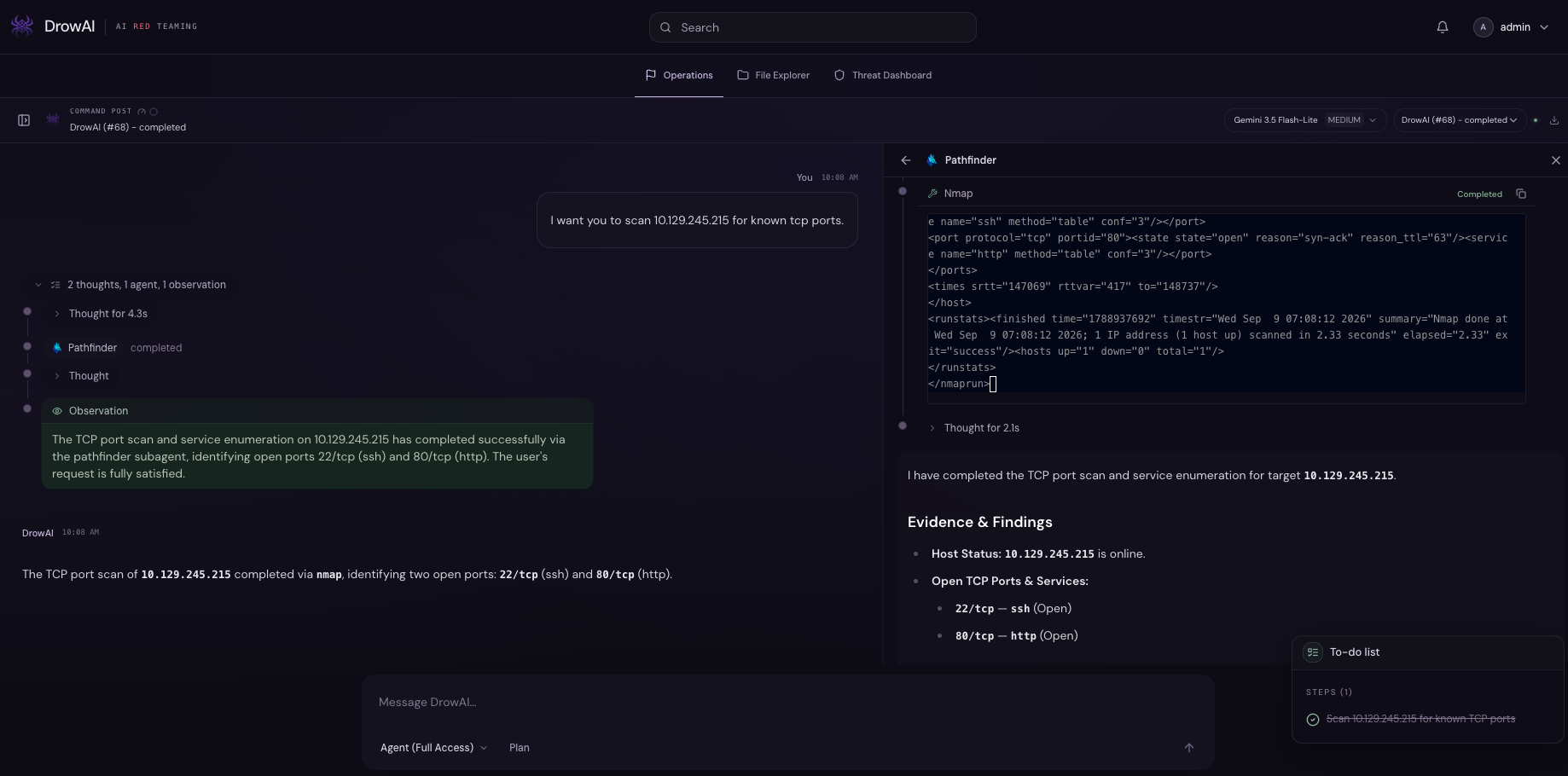
Choose your model, describe the objective, and work with an agent that can plan, run tools, and adapt as you steer.
Inside the platform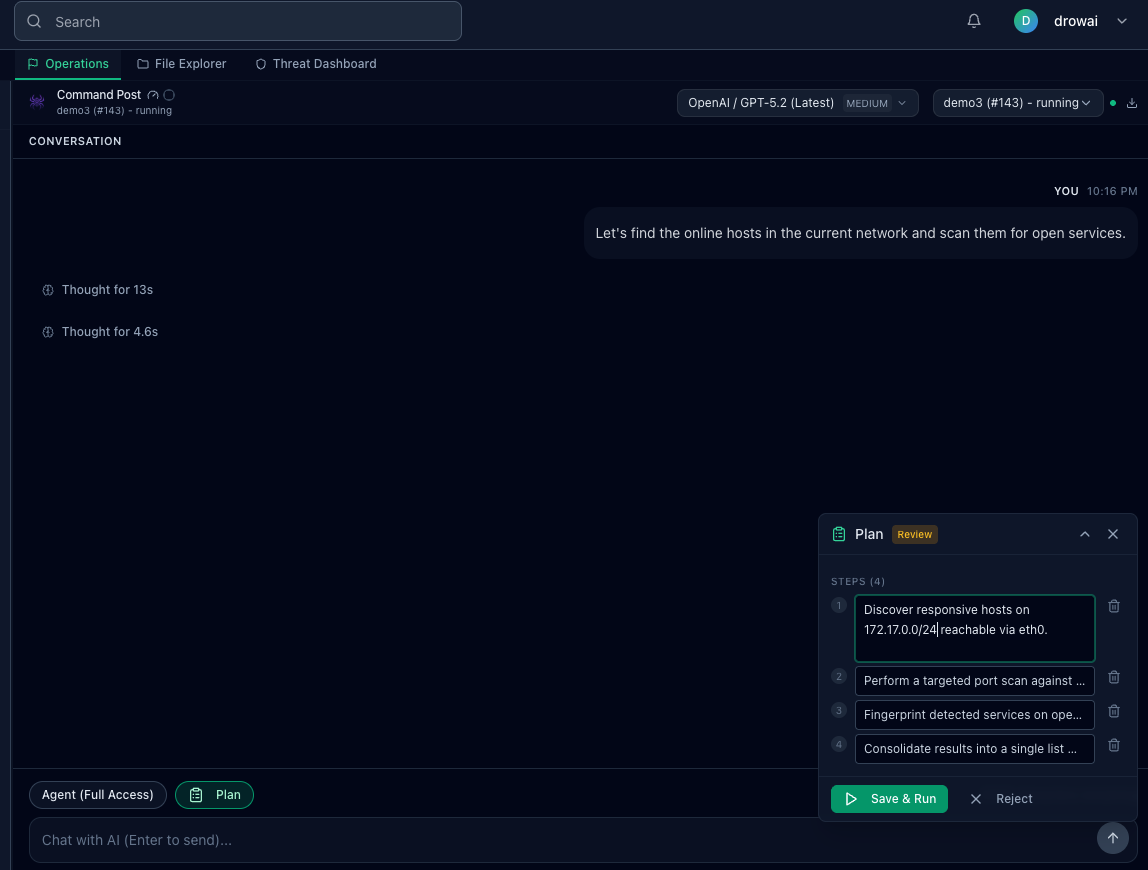
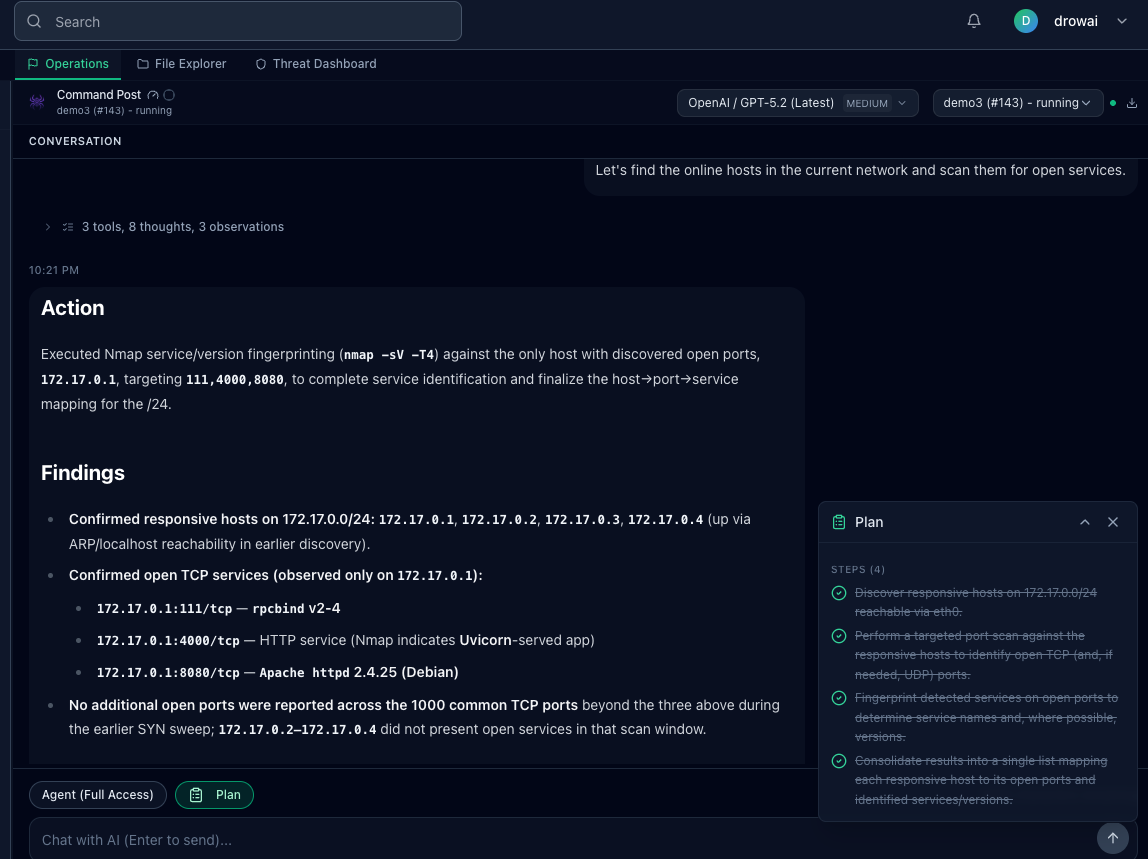
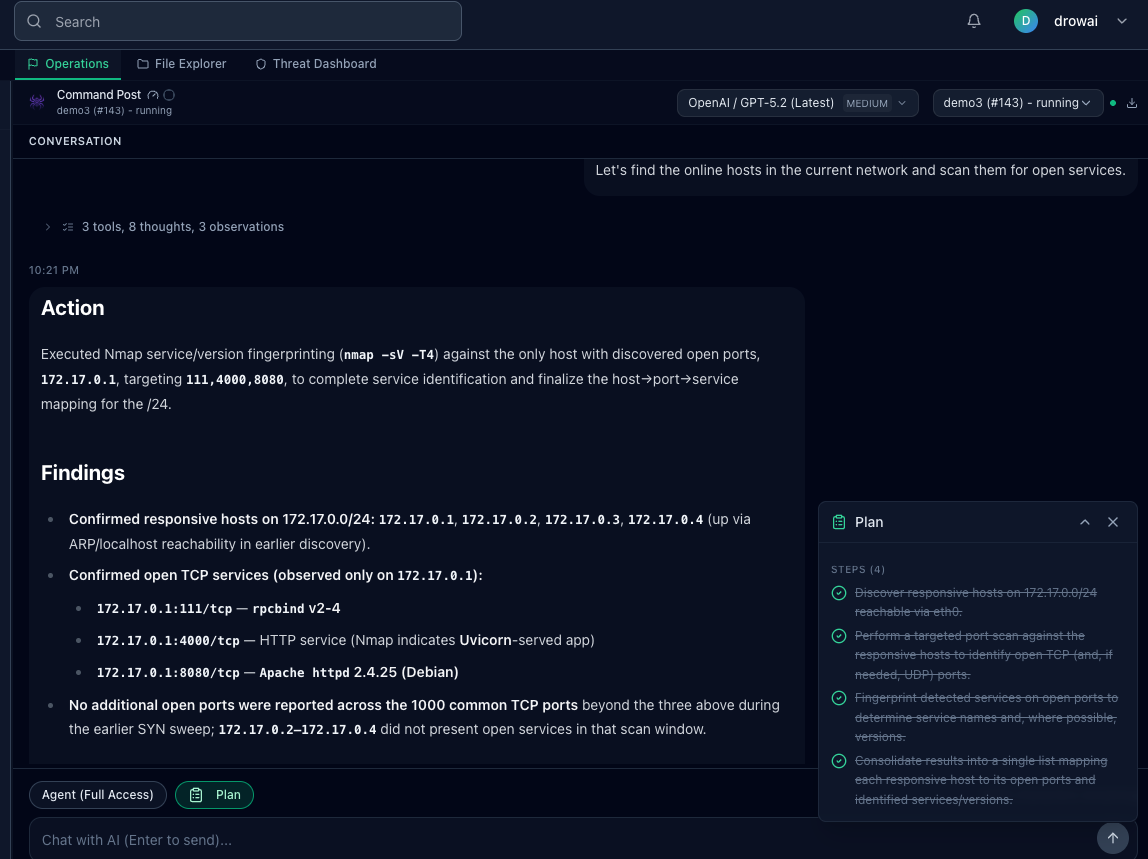
Isolated execution
Task work runs inside a controlled Kali container.
Visible tool activity
Commands, results, and the next move stay inspectable.
Your choice of model
Select the model and provider for the work ahead.
Coordinated intelligence
One mission.
More than one mind.
Specialized agents take on focused work. The primary agent brings their handoffs back into one shared task.
02 The knowledge layer
Every observation.
Connected.
An investigation creates more than a conversation. DrowAI links assets, services, findings, and evidence into knowledge you can explore.
Explore the knowledge layer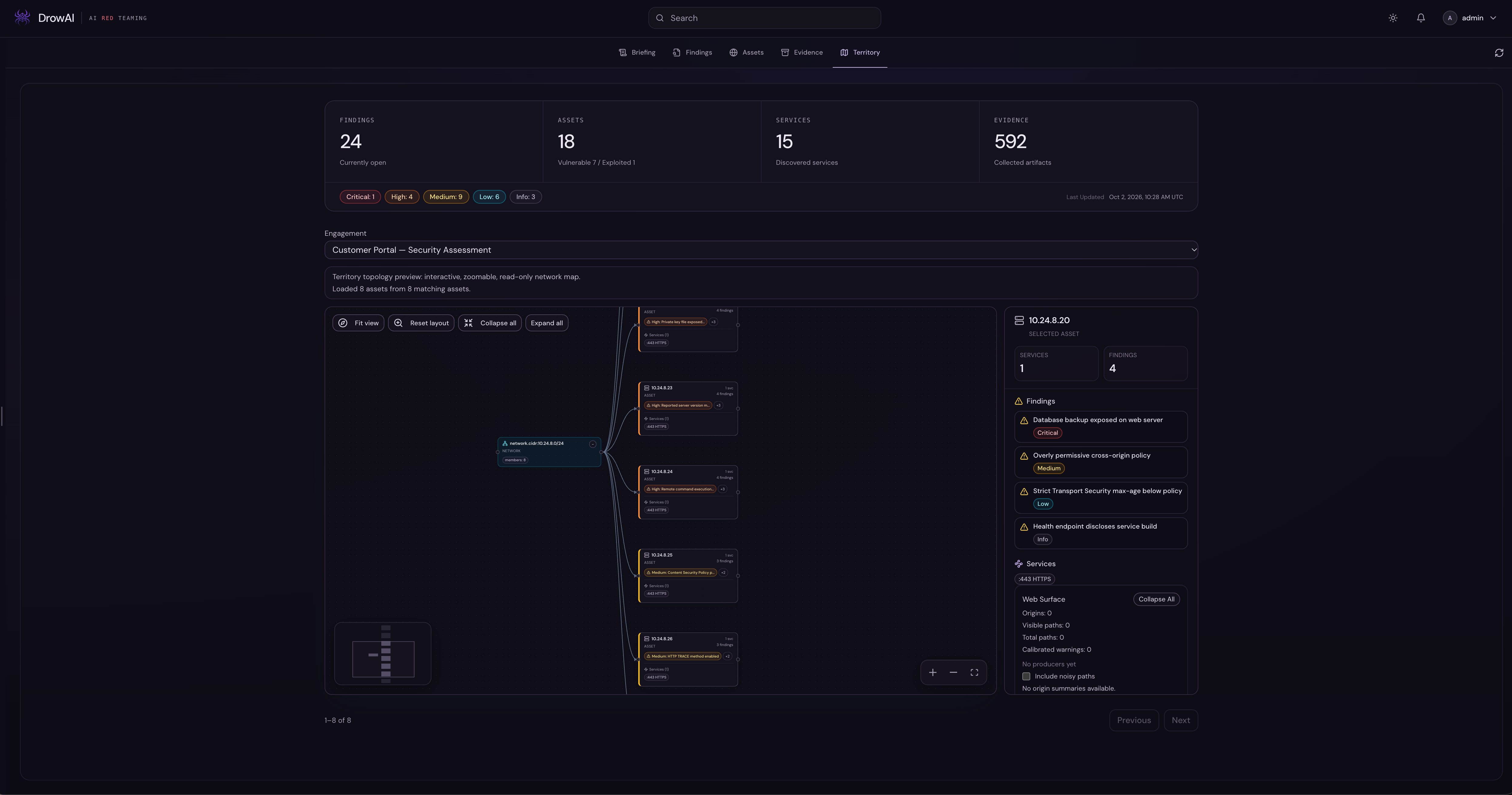
03 The complete picture
The work becomes
the report.
Bring collected evidence and task history into an engagement report. Review the findings and narrative, and keep the supporting context close.
Follow a task from start to report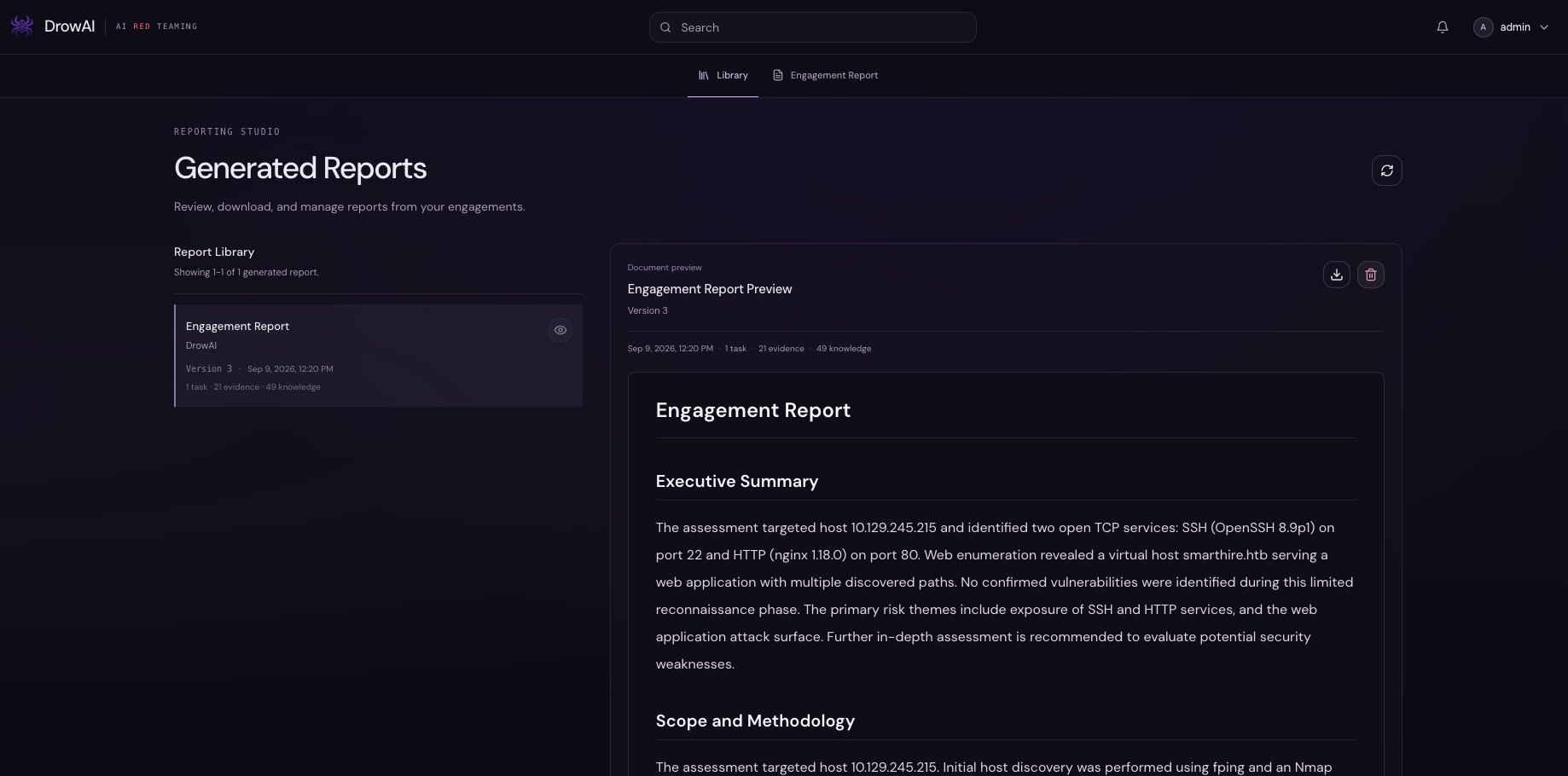
One task. Every step. The full picture.
Create task → Choose model → Agent work → Knowledge → Usage → Report04 The threat dashboard
The engagement stays
in view.
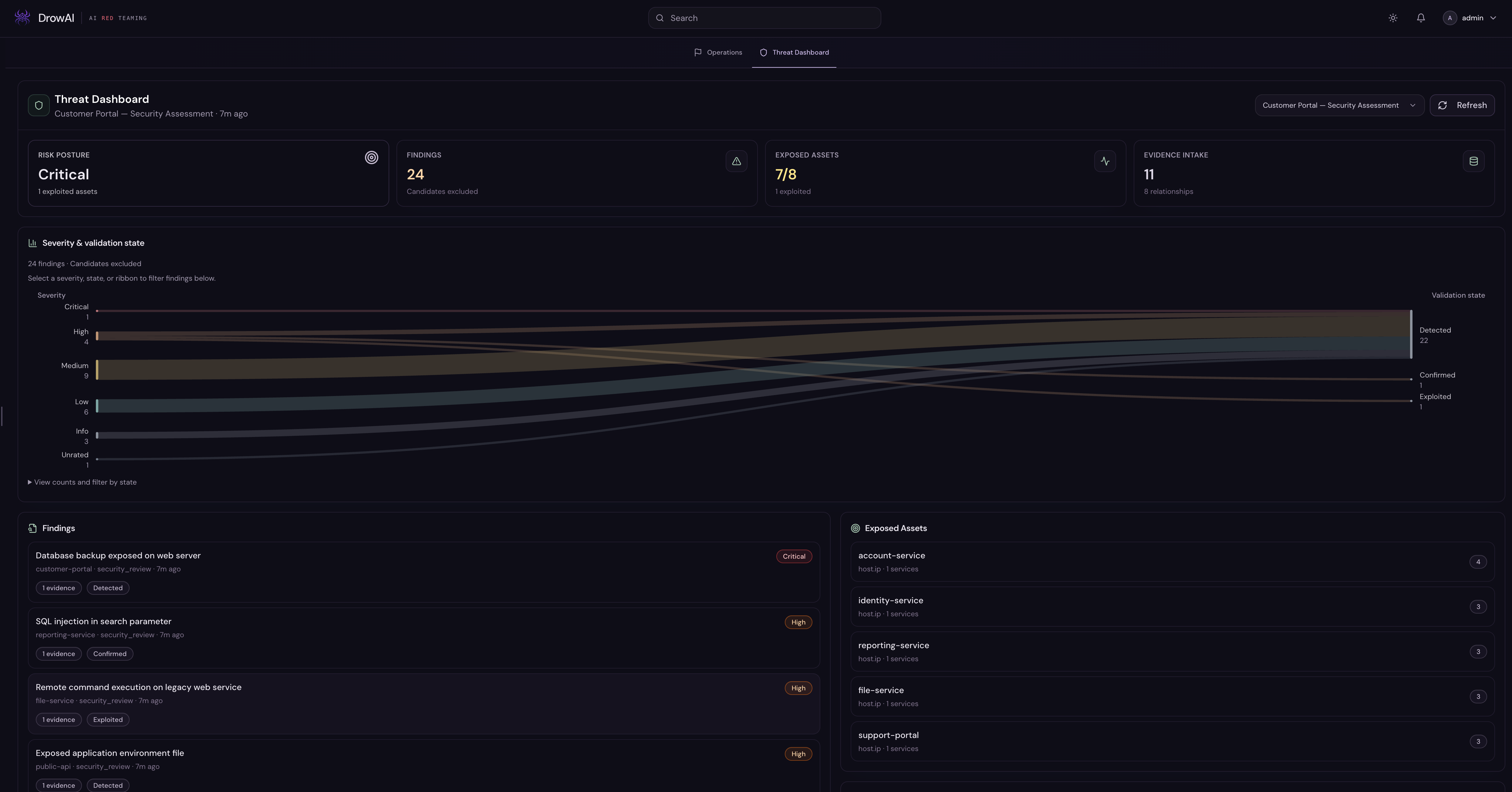
See the selected engagement's risk posture, findings, exposed assets, and evidence intake in one place. Compare severity with validation state, then review the findings and affected assets behind the counts.
DrowAI in action
Watch the connections happen.
Compatible models


Coming soon
Your investigation.
Amplified.
A closer look at what's taking shape.
Explore the platform and see DrowAI in action.